
HP Color LaserJet Pro MFP 4301fdw Wireless Printer
A wireless color laser all-in-one printer for teams, with print, scan, copy, and fax functions. It prints at 35 ppm and includes a 50-page ADF. Features built-in Wi-Fi, Ethernet, and centralized print management with security controls for up to 10 users.
Pros & Cons
Pros
- •Fast 35 ppm print speed for both color and monochrome documents.
- •Comprehensive all-in-one functionality (print, scan, copy, fax) with a 50-page ADF for multi-page jobs.
- •Robust connectivity options including built-in Wi-Fi, Ethernet, and support for centralized management.
- •Enhanced security features and user controls perfect for a shared office environment.
- •Produces sharp, professional color prints ideal for client-facing materials.
Cons
- •As a laser printer, the initial purchase price is higher than inkjet alternatives.
- •The device is relatively large and may require significant desk or floor space.
- •Replacement toner cartridges represent an ongoing cost, though typical of laser printers.
Overview
Positioned as a workgroup solution for small offices, this printer is designed to handle shared printing needs with reliability and speed. Its core value lies in its professional color output, comprehensive all-in-one functionality, and built-in centralized management tools for up to 10 users. With integrated Wi-Fi and Ethernet, it ensures seamless connectivity for every team member. The inclusion of a 50-page automatic document feeder (ADF) and advanced security controls makes it a secure and productive hub for a collaborative environment.
Who is this for?
This printer is for small to medium-sized business teams, remote work hubs, or busy departmental offices that need a dependable, shared printing station. It's perfect for managers who need to produce color reports, brochures, and invoices quickly, and for IT administrators who value devices with built-in network management and security protocols. It suits environments where multiple users require reliable scanning, copying, and occasional faxing capabilities daily.
Best Usage Scenarios
Producing monthly color reports and client presentations in-house.
Scanning and digitizing multi-page contracts using the automatic document feeder.
Managing print jobs and costs for a team of up to 10 employees.
Creating vibrant flyers, brochures, or promotional materials on demand.
Handling daily administrative tasks like copying, faxing, and network printing.
Frequently Asked Questions
Related Products
More deals in the same category
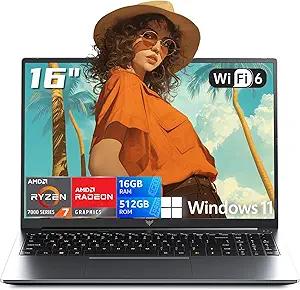
2026 AMD Gaming Laptop with AMD Ryzen 7 7735HS Processor (8C/16T, Up to 4.75GHz) 16 Inch FHD Screen Laptop Compute 16GB RAM 512GB ROM Windows 11 Laptop, HDMI, WiFi-6, Type-C, Webcam, Backlit Keyboard
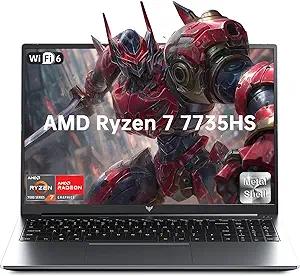
2026 Light Gaming Laptop,AMD Ryzen 7 7735HS (Beat i7-12650H, Up to 4.75GHz), 16 Inch FHD Display,16GB DDR5 RAM,512GB PCIe SSD, AMD Radeon 680M Graphics, Backlit Keyboard, Wi-Fi 6, Windows 11
NEW IN PLASTIC! Amazon Fire HD 10 (13th Generation) 32GB, Wi-Fi, 10.1" - Black -
