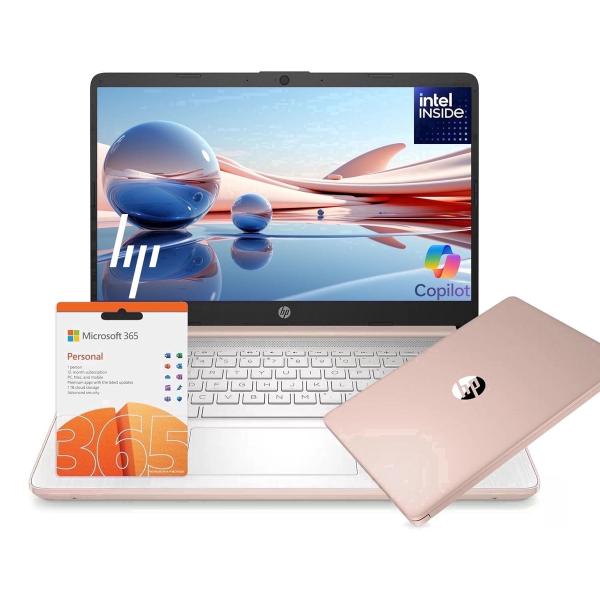
HP 14 AI Copilot Laptop, 4-Core Intel CPU, 8GB RAM, 128GB Storage, 1-Yr Office 365, Win 11S, Rose
HP 14-inch laptop with a quad-core Intel N150 processor, 8GB RAM, and 128GB storage. Features Windows 11 in S mode, a free 1-year Office 365 subscription, Wi-Fi 6, and up to 9 hours of battery life. Lightweight design in Rose Gold.
Pros & Cons
Pros
- •Exceptional value with included 1-year Office 365 subscription.
- •8GB of RAM provides smooth multitasking for everyday applications.
- •Lightweight and portable design with a stylish Rose Gold finish.
- •Wi-Fi 6 ensures faster and more reliable wireless connectivity.
- •Up to 9 hours of battery life supports all-day use away from an outlet.
Cons
- •Limited 128GB storage fills up quickly; relies on cloud or external drives.
- •Windows 11 in S mode restricts app installation to the Microsoft Store unless switched out.
- •The Intel N150 processor is sufficient for basics but not for demanding software or gaming.
Overview
This laptop positions itself as an affordable entry point into the Windows 11 ecosystem, enhanced by AI features through Copilot and the efficiency of Wi-Fi 6. Its core value lies in providing a balanced specification—sufficient memory and storage for basic computing—without the premium price tag. The inclusion of a 1-year Office 365 subscription is a significant perk, effectively reducing the total cost of ownership for productivity. It's designed for portability and all-day use, making it a practical choice for on-the-go computing.
Who is this for?
This laptop is perfectly suited for students who need a portable device for taking notes, writing papers, and attending online classes. It's also a great fit for home users or professionals who primarily use web apps, email, and Microsoft Office for light productivity tasks. Anyone looking for an affordable, stylish, and easy-to-use first computer or secondary device will find it meets their core needs without complexity.
Best Usage Scenarios
Attending online lectures and completing coursework.
Working on documents, spreadsheets, and presentations with Office 365.
Streaming videos and browsing the web socially.
Participating in video calls and remote meetings.
Carrying for light work during travel or commutes.
Frequently Asked Questions
Related Products
More deals in the same category
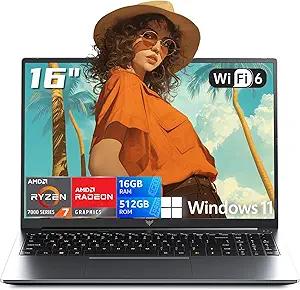
2026 AMD Gaming Laptop with AMD Ryzen 7 7735HS Processor (8C/16T, Up to 4.75GHz) 16 Inch FHD Screen Laptop Compute 16GB RAM 512GB ROM Windows 11 Laptop, HDMI, WiFi-6, Type-C, Webcam, Backlit Keyboard
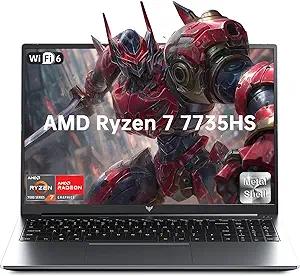
2026 Light Gaming Laptop,AMD Ryzen 7 7735HS (Beat i7-12650H, Up to 4.75GHz), 16 Inch FHD Display,16GB DDR5 RAM,512GB PCIe SSD, AMD Radeon 680M Graphics, Backlit Keyboard, Wi-Fi 6, Windows 11
NEW IN PLASTIC! Amazon Fire HD 10 (13th Generation) 32GB, Wi-Fi, 10.1" - Black -
