
Dell 27" P2725H Monitor
A 27-inch IPS monitor with 1920x1080 resolution and 100Hz refresh rate. Features HDMI, DisplayPort, and VGA connectivity, 99% sRGB color coverage, and blue light reduction for eye comfort. Offers tilt, swivel, height, and rotation adjustments for flexible positioning.
Pros & Cons
Pros
- •Fully ergonomic stand with height, tilt, swivel, and pivot adjustments.
- •100Hz refresh rate provides smoother motion than standard office monitors.
- •Strong color accuracy with 99% sRGB coverage, suitable for basic photo work.
- •Comprehensive connectivity including HDMI, DisplayPort, and VGA.
- •Blue light reduction feature enhances eye comfort during long sessions.
Cons
- •1920x1080 resolution on a 27-inch screen may appear less sharp than a Quad HD display.
- •Lacks advanced gaming features like Adaptive Sync (FreeSync/G-Sync).
- •Built-in speakers are typically basic in quality, if present.
Overview
Positioned as a productivity and comfort-focused display, the Dell P2725H stands out with its highly adjustable stand, allowing for tilt, swivel, height, and rotation to achieve the perfect viewing angle. Its IPS panel ensures consistent colors and wide viewing angles, while the 100Hz refresh rate provides a noticeably smoother experience than standard 60Hz office monitors. Core value is delivered through features like 99% sRGB color coverage for accurate visuals and blue light reduction technology for extended, comfortable viewing sessions. With HDMI, DisplayPort, and legacy VGA ports, it offers broad compatibility with modern and older systems alike.
Who is this for?
This monitor is ideal for home office professionals, remote workers, and university students who need a comfortable, adjustable screen for long days of document processing, research, and video calls. It's also well-suited for creative hobbyists and casual content consumers who value good color reproduction for photo editing and streaming movies. Anyone looking to upgrade from a basic, fixed-position monitor to one that promotes better posture and viewing comfort will find significant value here.
Best Usage Scenarios
Dual-monitor office setup for enhanced productivity.
Long coding or writing sessions requiring reduced eye strain.
Casual gaming and sports video playback benefiting from 100Hz smoothness.
Online learning and video conferencing with comfortable viewing angles.
Basic photo editing and digital art where color accuracy is important.
Frequently Asked Questions
Related Products
More deals in the same category
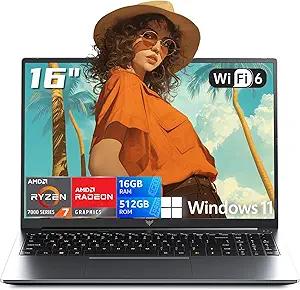
2026 AMD Gaming Laptop with AMD Ryzen 7 7735HS Processor (8C/16T, Up to 4.75GHz) 16 Inch FHD Screen Laptop Compute 16GB RAM 512GB ROM Windows 11 Laptop, HDMI, WiFi-6, Type-C, Webcam, Backlit Keyboard
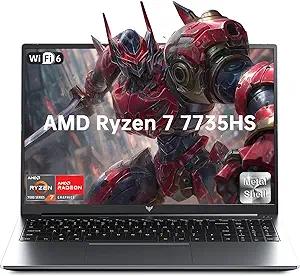
2026 Light Gaming Laptop,AMD Ryzen 7 7735HS (Beat i7-12650H, Up to 4.75GHz), 16 Inch FHD Display,16GB DDR5 RAM,512GB PCIe SSD, AMD Radeon 680M Graphics, Backlit Keyboard, Wi-Fi 6, Windows 11

NEW IN PLASTIC! Amazon Fire HD 10 (13th Generation) 32GB, Wi-Fi, 10.1" - Black -
